This section provides guidance to help users choose the appropriate type of worktag to meet their reporting and financial tracking needs. It offers practical examples that walk through common scenarios where users must decide between different worktag options. The first example compares when to use an Activity, Program, Stand-Alone Grant, or Cost Center to track unit-level operations. The second example focuses on Accounting Worktags, explaining the relationships and differences between Ledger Accounts, Spend Categories, Revenue Categories, Purchase Items, and Expense Items, to support proper transaction coding and enterprise reporting alignment.
Local Organization Worktag Distinctions
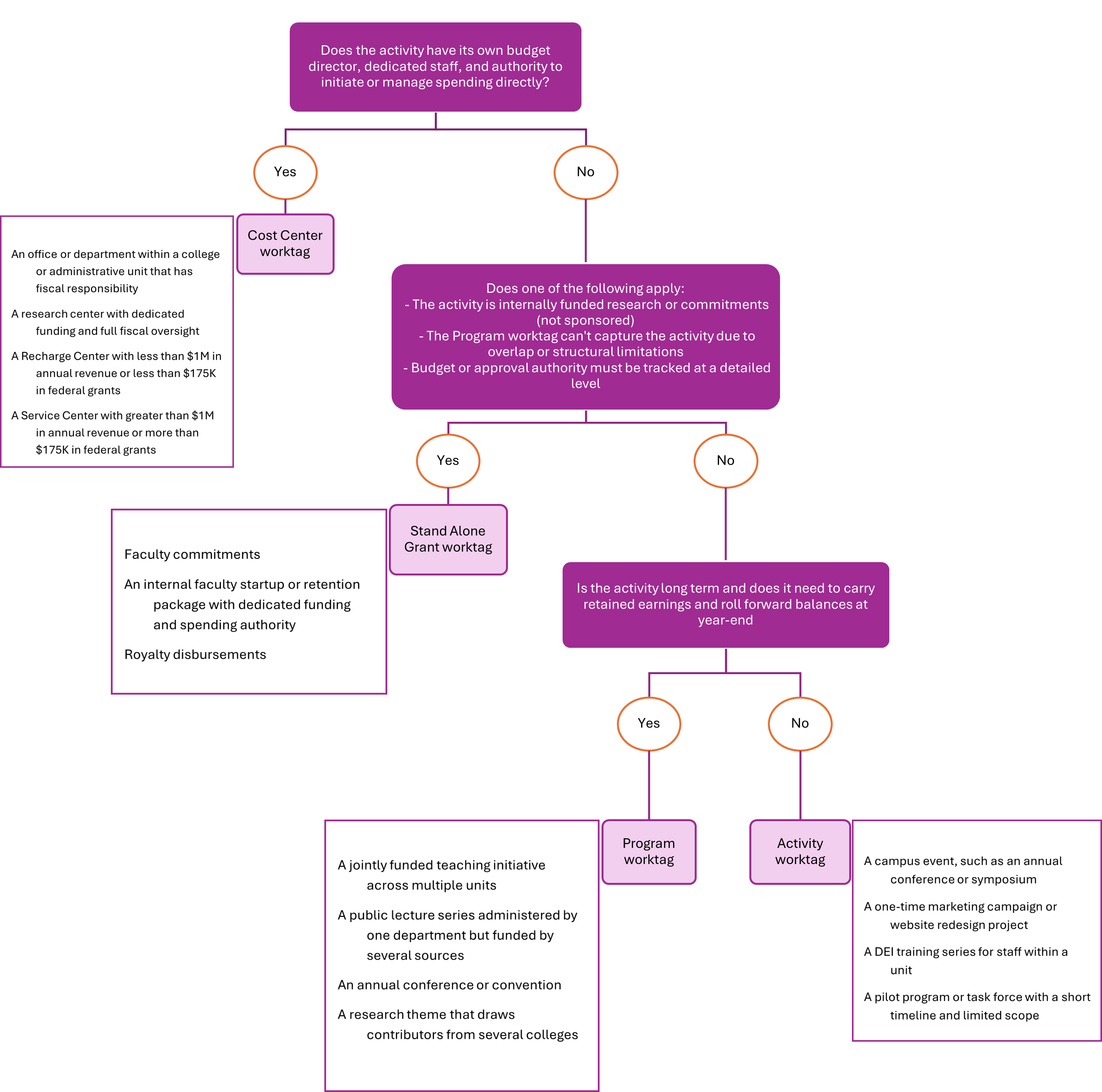
Below are key distinctions and a decision tree for guidance on when to create a Cost Center worktag, Stand Alone Grant worktag, Program worktag, or Activity worktag, with examples to support decision-making.
Note: Cost Center is a required worktag on all Revenue and Expense Ledger Account transactions that appear on the Income Statement. If the decision tree leads to using a Stand Alone Grant, Program, or Activity, it should be used in combination with an existing Cost Center on the transaction.
Understanding Accounting Worktags in Workday
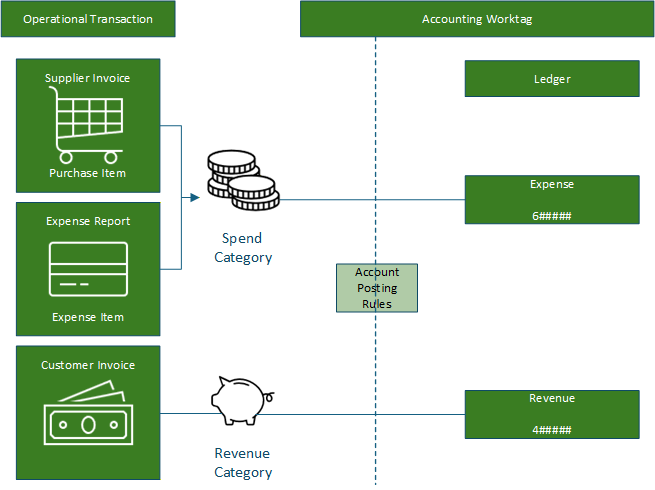
Accounting worktags in Workday define the nature of a transaction and ensure it is recorded accurately for financial reporting, compliance, and operational insight. These worktags help categorize transactions based on what is being purchased, how cash is earned, and how it aligns with institutional reporting structures.
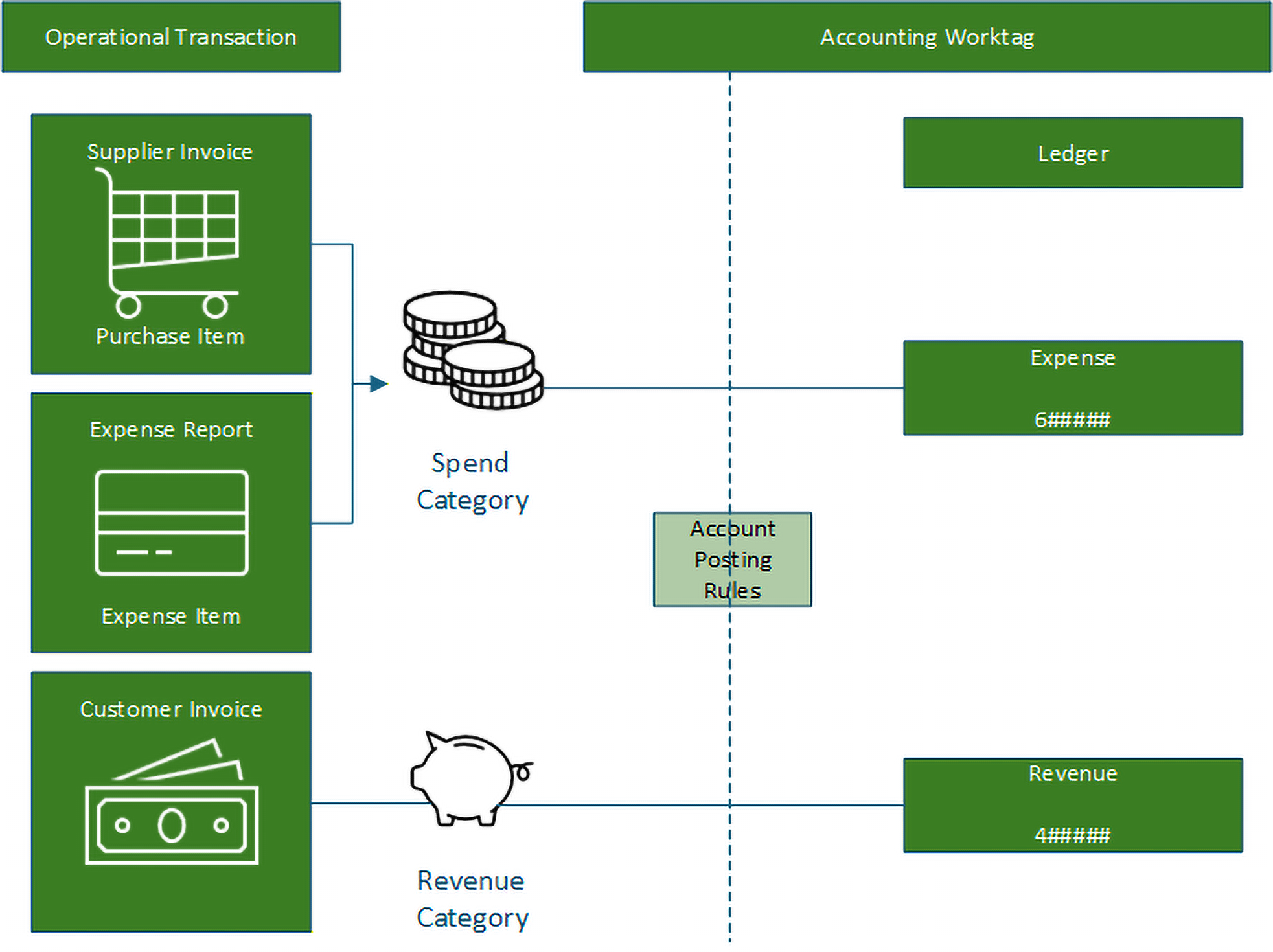
The following guide illustrates how the accounting worktags relate to each other.
Illustrative Relationship: Cost Center, Balancing Unit, Company, and Supervisory Org
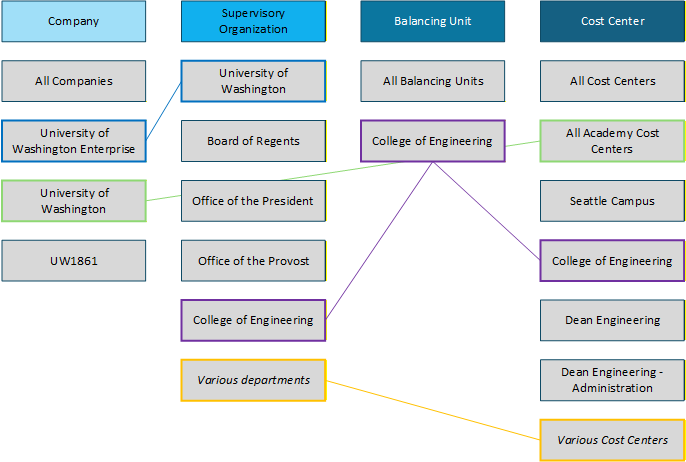
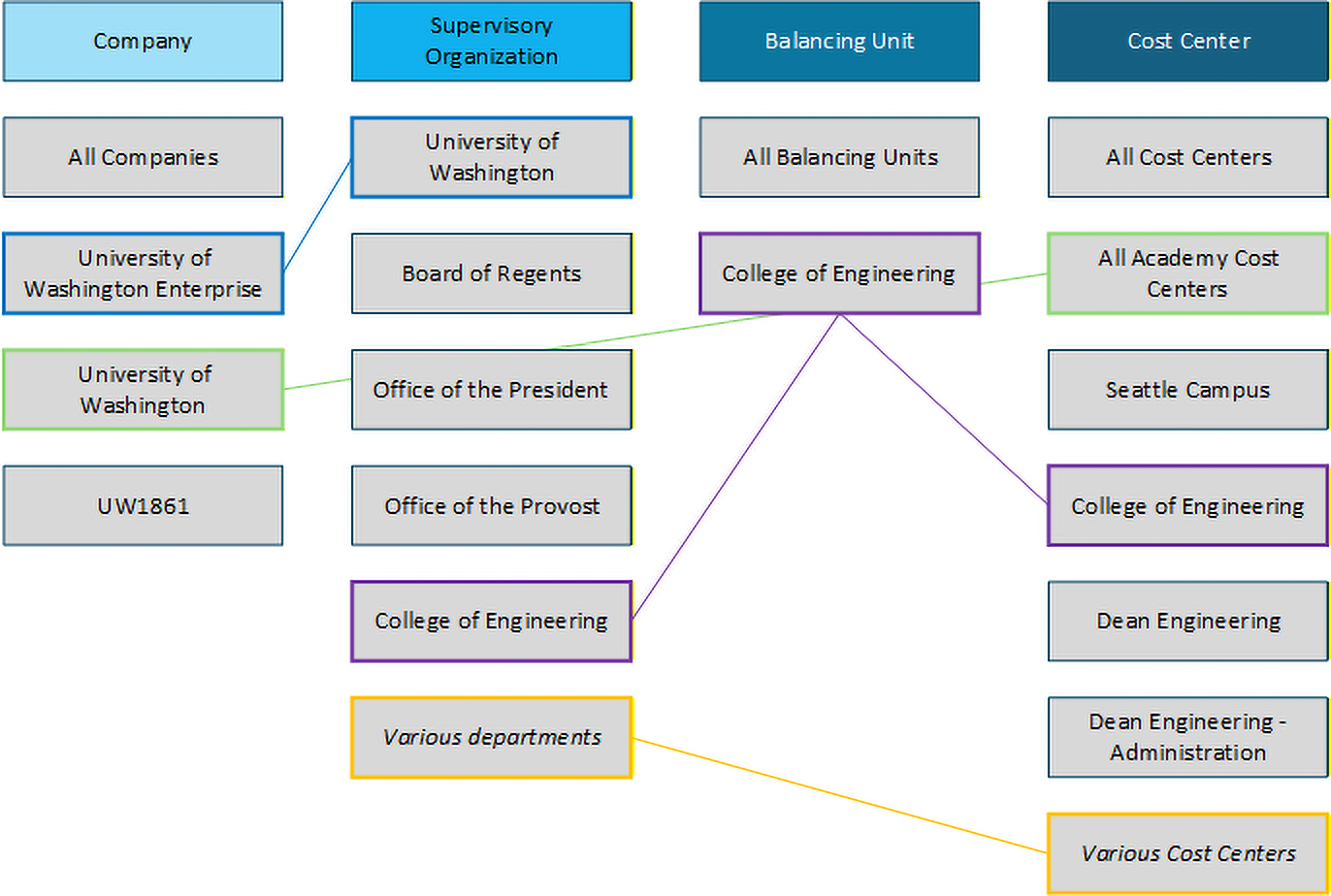
In Workday, the relationship between organization-related worktags varies depending on their level within the hierarchy.
Generally, Cost Center Hierarchy Level 5 aligns with the academic or auxiliary unit’s span of control and corresponds to the Balancing Unit worktag.
Supervisory Organizations are a non-FDM, Workday Human Resources and Payroll (HRP) concept used to map employees to their managers and define reporting relationships. These Supervisory Organizations generally align with the Balancing Unit level, but they also contain the employee structure tied to Cost Centers.
It's important to note that the highest level of the Supervisory Organization hierarchy does not align one-to-one with the highest level of the Company Hierarchy in Workday. This is because the Company Hierarchy includes non-consolidated Companies that are not governed by the University of Washington Board of Regents and therefore fall outside the University's primary supervisory structure.
The University of Washington Company Hierarchy maps directly to the All Academy Cost Center Hierarchy node, which includes all Companies associated with the University's academic operations. Moving one level higher to All Cost Center Hierarchies expands the scope to include Cost Centers from Non-Consolidated Companies, Enterprise Finance Operations (non-operational), and UW Medicine.
Here's the Workday view of the initial illustrative graphic:
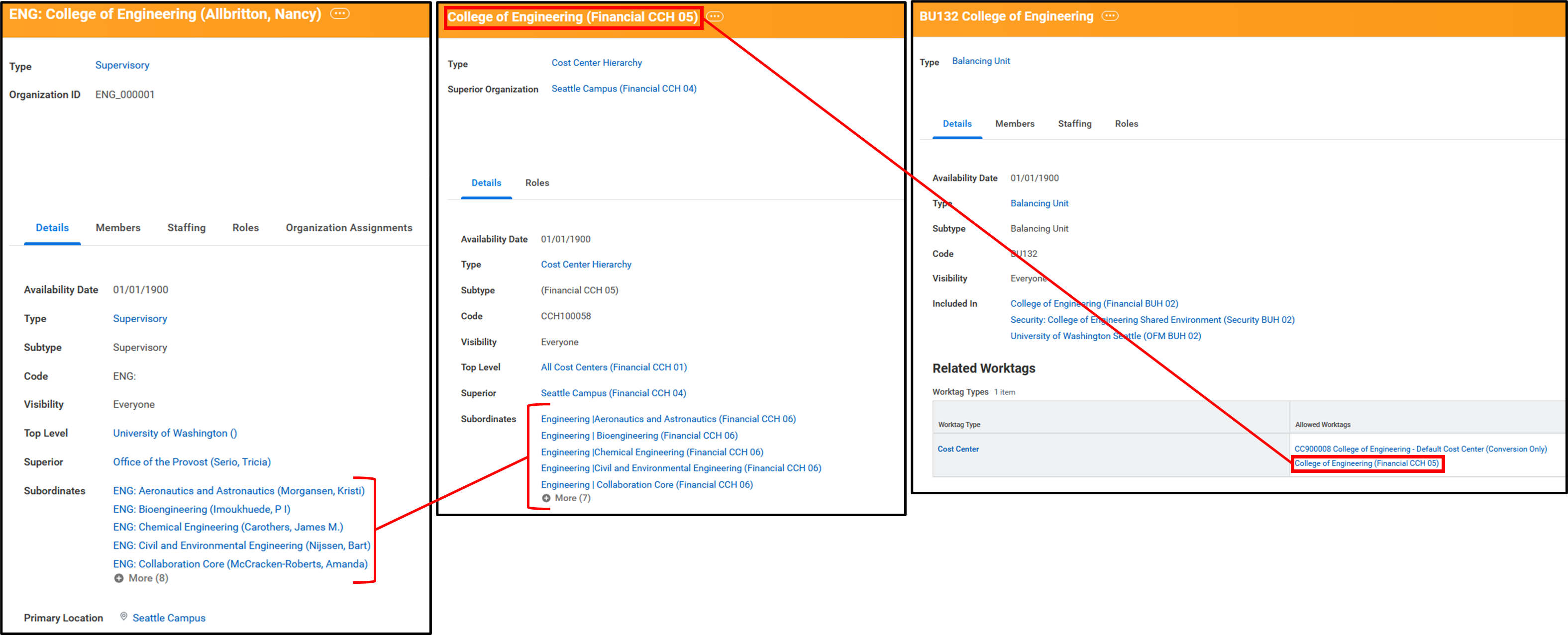
Filtering by FDM organization worktags provides flexible and powerful tools for financial reporting. These hierarchical relationships not only support more meaningful aggregation and comparison across units, but they also bridge financial and HRP data, enabling integrated reporting across both finance and human resources domains in Workday.