This section will discuss the following topics:
- What is a Worktag?
- Driver Worktags, Defaulted Worktags, and Account Posting Rules
- Understanding Worktag Hierarchies in Workday
The Workday Foundation Data Model (FDM) is the framework the University of Washington uses to capture and organize financial activity in Workday. It is a flexible and detailed structure that supports budgeting, reporting, and financial analysis across all units.
The FDM is built around worktags; labels or attributes that are assigned to transactions to identify their purpose, funding source, organizational ownership, and other key details. Worktags help ensure that financial data is consistently classified and easily reportable without needing to memorize numeric codes.
What is a Worktag?
A worktag is a keyword or descriptor used to tag financial transactions in Workday. Each worktag represents a specific dimension of financial data and when used in combination, fully describes the financial context of a transaction. By using structured worktags instead of a single budget number or account code, Workday enables more flexible and transparent reporting.
Driver Worktags, Defaulted Worktags, and Account Posting Rules
Required Worktags in Workday
When entering transactions in Workday, certain worktags are always required:
- All transactions must have: Company, Balancing Unit, Fund, and Ledger worktags.
- Income Statement transactions (Revenue and Expense type Ledger worktags) also generally require: Resource, Cost Center, and Function worktags.
What Are Driver Worktags?
Workday simplifies data entry through driver worktags. A driver worktag (such as a Grant, Gift, Program, or Cost Center) is configured to automatically populate other defaulted worktags on a transaction. This helps:
- Reduce data entry errors
- Ensure compliance with UW's financial structure
- Save time by avoiding repeated manual entry
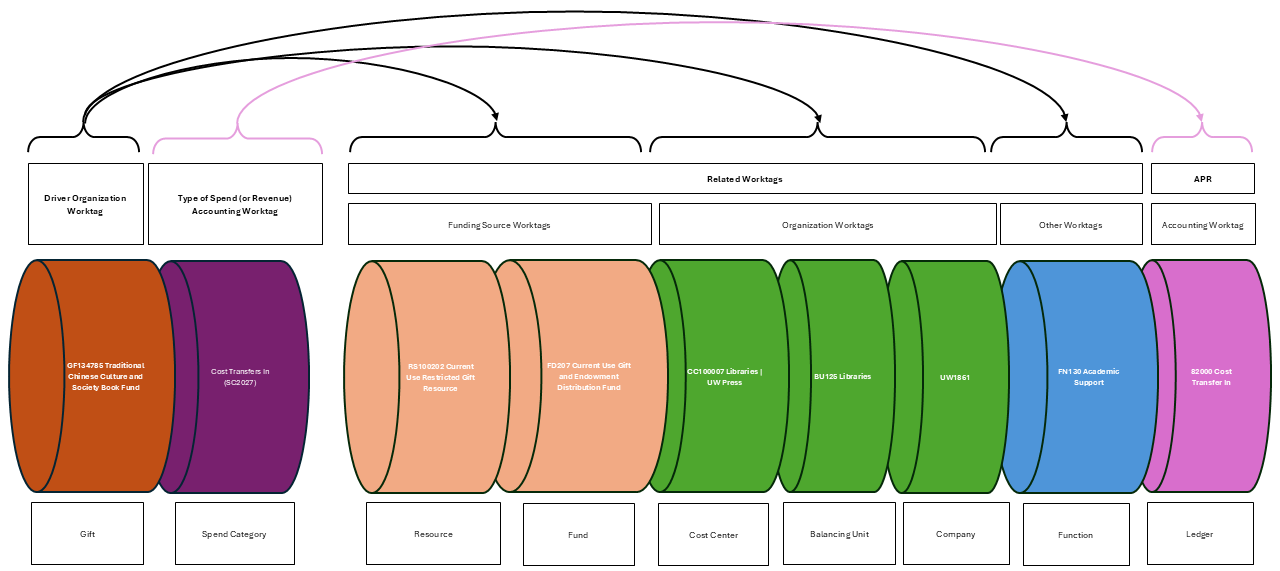
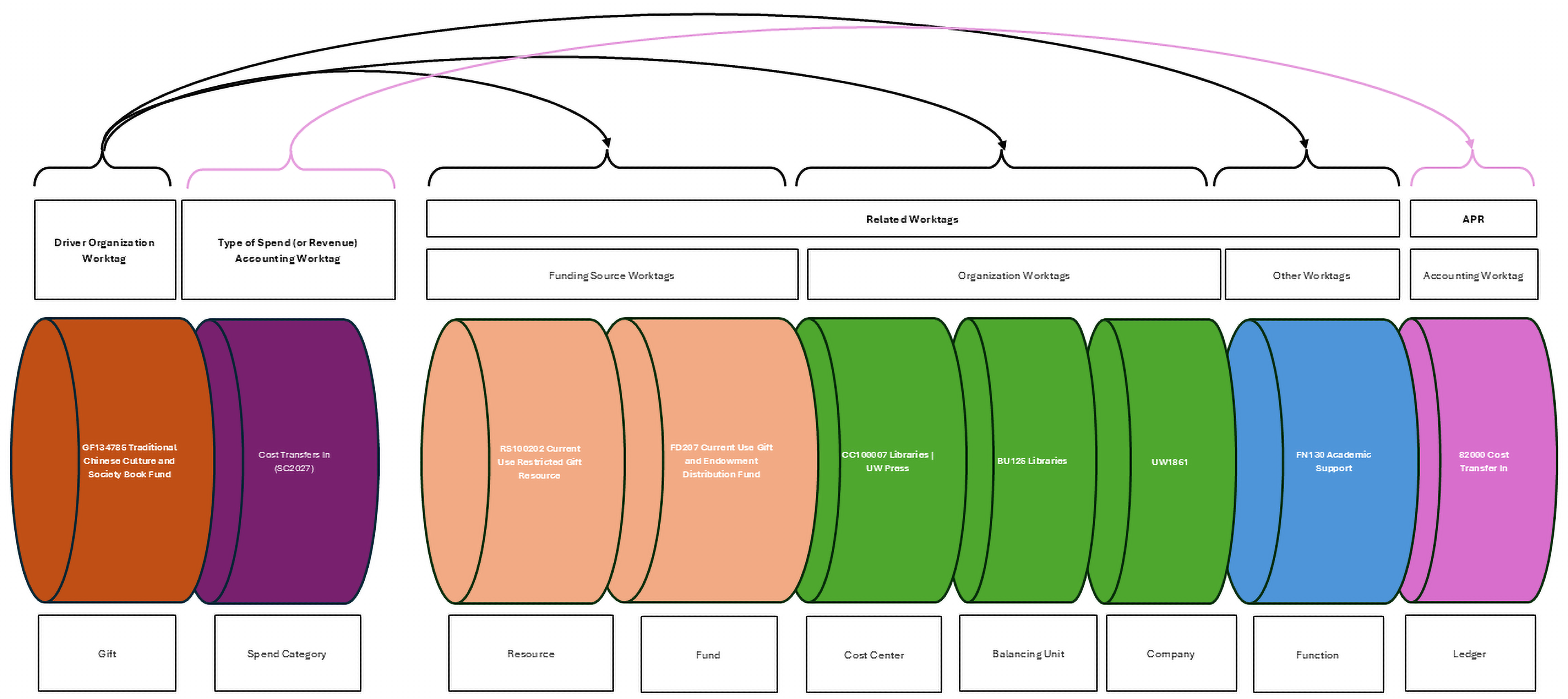
Important Details About Driver Worktags:
- Order matters: If you enter multiple driver worktags, one can override the defaults set by another, potentially resulting in incorrect worktag combinations on the transaction.
- No cascading: Defaults from a driver worktag do not trigger additional defaults from the worktags they populate.
- Typical setup: Driver worktags are often configured to default the full set of required worktags for Income Statement transactions (i.e. Cost Center, Resource, Fund, Function, Balancing Unit).
Finding Driver Worktags in Workday
While ubiquitous across Workday clients like UW, the term "driver worktag" doesn't actually appear in the Workday user interface (UI). To check if a worktag is a driver:
- Select the worktag in question.
- View the Related Worktags table on the first screen (generally on the first screen that comes up when a worktag is selected).
- If the Default Worktags column has values listed, the worktag is acting as a driver.
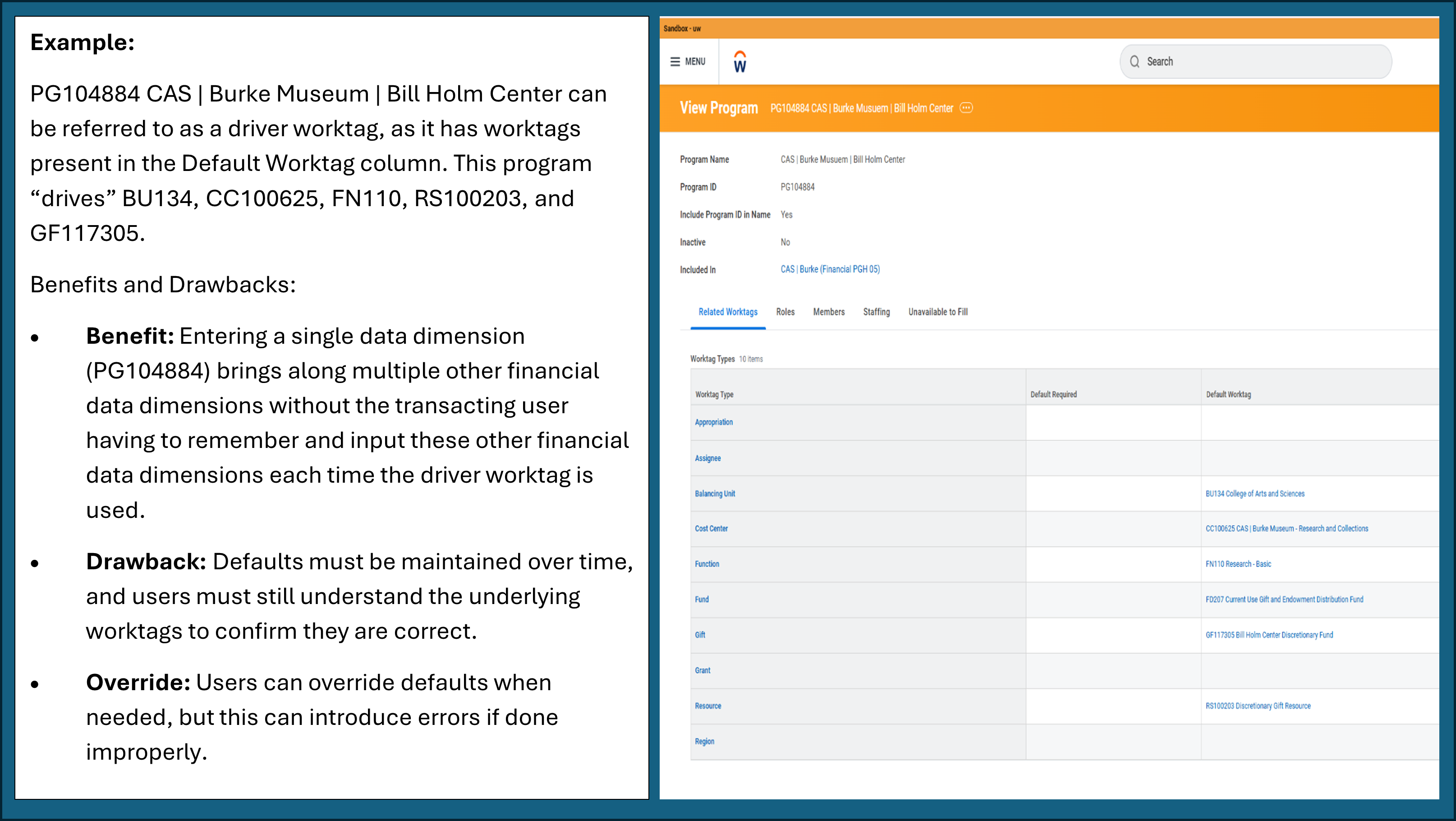
Similarly for accounting worktags, Account Posting Rules (APRs) determine how Revenue Categories and Spend Categories interact with the Ledger worktag.
Common Worktag-Specific Driver Behavior
| Worktag as a Driver | Configured Defaulted Worktags |
|---|---|
| Cost Center | Function Balancing Unit |
| Stand-Alone Grant | Varies depending on configuration – review in Workday |
| Program | Varies depending on configuration – review in Workday |
| Activity | Varies depending on configuration – review in Workday |
| Grant | Resource Fund Function Cost Center Balancing Unit |
| Gift | Resource Fund Function Cost Center Balancing Unit |
Illustrative Examples of Driver and Defaulted Worktag Relationships
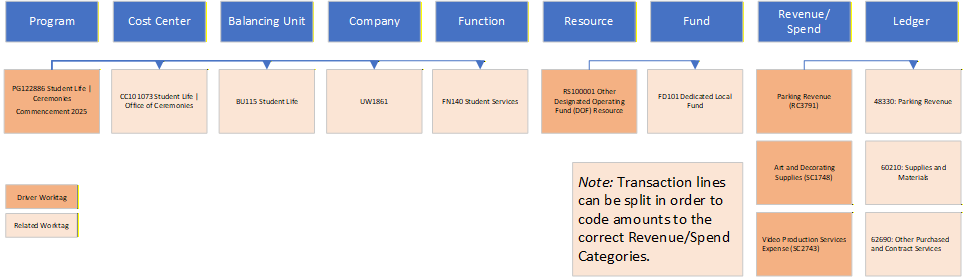
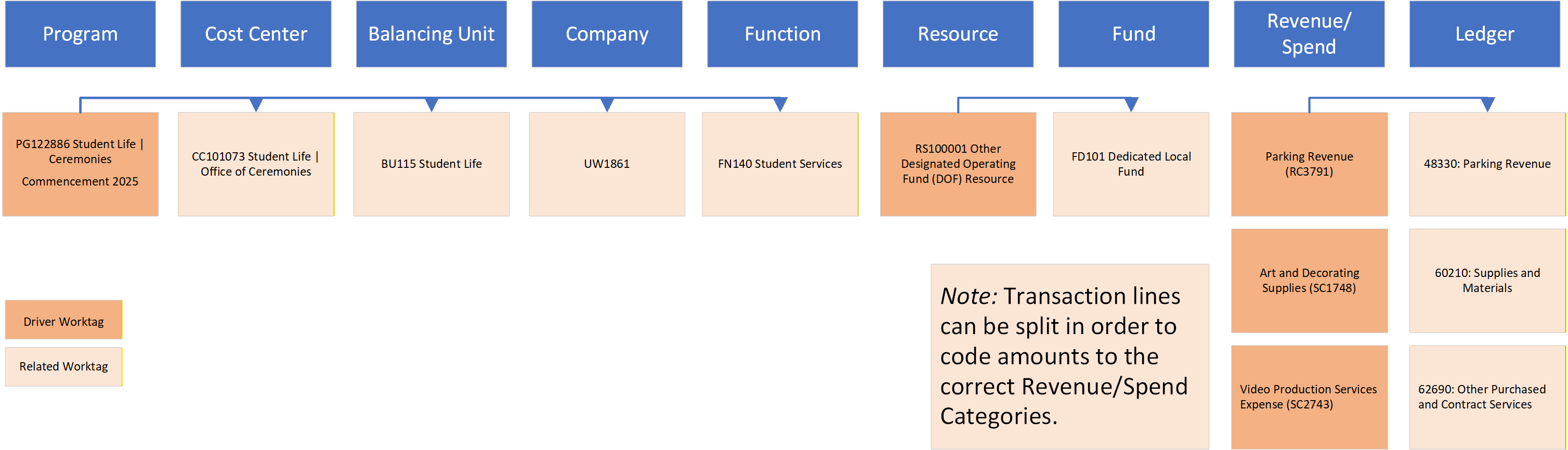
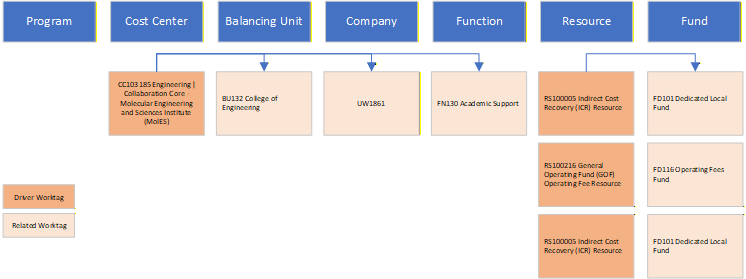
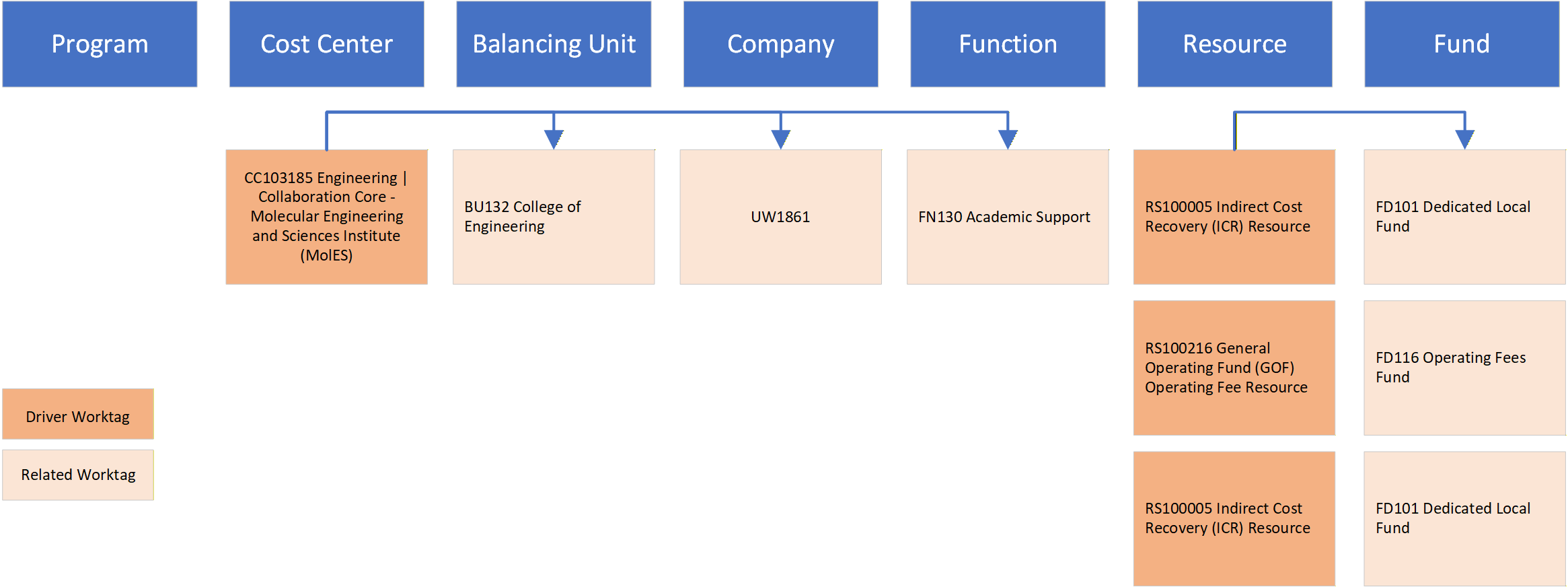
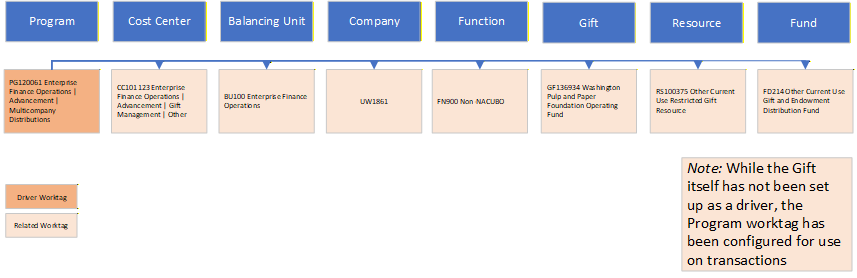
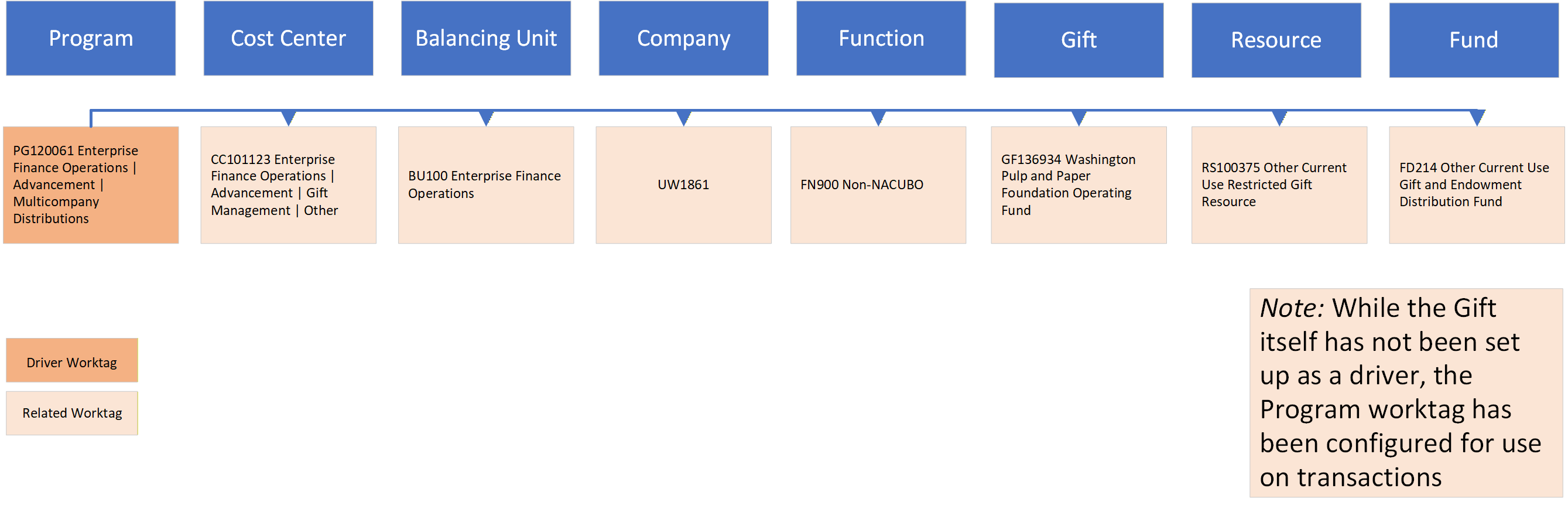
By relying on configured relationships between worktags, Workday helps ensure that transactions are consistently coded and aligned with institutional reporting standards.
Understanding Worktag Hierarchies in Workday
Worktag Hierarchies in Workday are structured groupings of worktags used for reporting and, in some cases, for assigning transaction approvers and fiscal responsibility.
Please see the Knowledge Article on Exploring, Designing, And Managing Worktag Hierarchies In Workday for more information.